Word vs Excel vs Invoice App: Which Gets You Paid Faster?
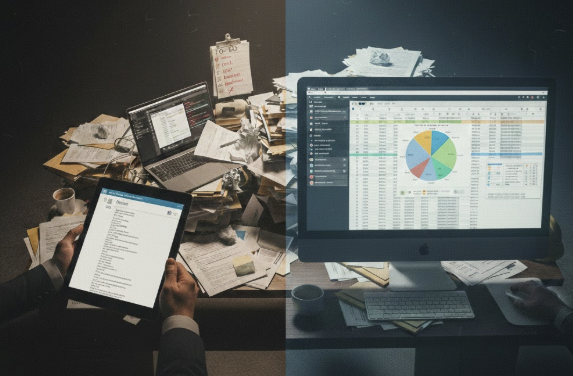
Choose your workspace
On your laptop / desktop
Customer email open? Price from the thread without leaving Gmail.
SMASH for Gmail
Build and sync invoices to Xero or QuickBooks in under 60 seconds.
Add to Chrome — FreeIn your truck / on-site
Finished the job? Talk for 30 seconds before you leave.
SMASH for iPhone
Priced invoice from your catalog — sent before you start the van.
Download the iOS appShort answer: Word and Excel invoices each take 15–20 minutes of typing, reformatting and manual GST maths — and neither sends a Pay Now link. A dedicated invoice app prices from your catalog and delivers a payable PDF in under 60 seconds by voice on site or from Gmail at your desk. For tradies doing more than one job a week, speed to send usually beats template familiarity.
It's the classic debate. Word is for writing, Excel is for numbers. But when it comes to getting paid for a hard day's work, which one actually wins?
I've used both. I've broken both. And I've finally realized that while they are great tools for an office, they are a nightmare for a van. Here is the breakdown of the "Manual Admin" struggle.
The Case for Microsoft Word (The "Easy" Start)
Word is usually the first stop. It's basically a digital piece of paper. You type in your name, the customer's name, and a list of what you did.
The Pro: It's easy to make it look "pretty." You can drag your logo around and write long descriptions of the work.
The Con: It's a dumb document. It doesn't know how to do math. If you change a price, you have to manually recalculate the GST and the Total. If you make a typo in your calculator, you send an incorrect bill.
The Verdict: Great for one-off letters; terrible for keeping track of your money.
The Case for Microsoft Excel (The "Nerd" Choice)
Excel is the step up. You set up a few formulas, and suddenly the GST calculates itself.
The Pro: The math is (mostly) automated. Once you have a good template, it feels like you're a "real" business owner.
The Con: Formatting is a nightmare. You add one extra line of text, and suddenly the whole page layout breaks, or the bottom of your invoice cut off on the customer's screen. Plus, try opening a spreadsheet on your phone while standing in the rain. It's impossible. Learn more about why spreadsheets are a small business trap.
The Verdict: Better than Word, but you'll spend more time "fixing cells" than actually billing.
The "Hidden Tax" of Manual Templates
Whether you choose Word or Excel, you are paying a "Hidden Tax."
Every time you finish a job, you have to go home, open a file, "Save As" a new name, update the invoice number (and hope you didn't skip one), change the date, and save it as a PDF.
That process takes at least 10–15 minutes per job. If you do 5 jobs a week, that's an hour of your life gone. If you do 20 jobs? You're losing half a day every week to a "free" template.
This is exactly the kind of time-wasting that fails The Friday Pub Test – you deserve to finish work on time and actually enjoy your weekend. This is the Paperwork Tax in action.
Why a Mobile App Beats Both
In 2026, the question shouldn't be "Word or Excel?"—it should be "Why am I using a laptop at all?"
Moving to small business invoice software like Smash Invoices takes the best parts of both and ditches the headache:
- Professionalism of Word: Beautiful, branded PDFs generated instantly.
- Accuracy of Excel: 100% automated math and GST tracking.
- Speed of Voice: You don't type. You talk. Learn the 60-second invoice workflow.
When you use an app, you aren't "creating a document." You are "logging a job." The app handles the document creation for you while you're walking to the van. This is the core of the ultimate tradie tech stack.
The Final Verdict
If you are doing one job a month, use Excel. It's fine. If you are doing more than one job a week, stop using Microsoft programs for your billing. You are a contractor, not an admin assistant. Get an app that lives in your pocket and gives you your Sunday mornings back.
Discover why AI voice invoicing is the 2026 standard and stop Admin Sundays forever.
Common Questions: Word vs. Excel for Invoices
What Microsoft program is best for invoices?
If you must choose, Excel is better because it can calculate totals and GST automatically, reducing human error. However, Word is often preferred for more "design-heavy" quotes.
Is Excel good for invoicing?
Excel is a powerful tool for data, but it is not a dedicated invoicing system. It lacks a "history" of who has paid you, and it doesn't send automated reminders to late payers.
Can I open Excel invoices on my phone?
Technically yes, but the interface is usually too small for easy editing on a job site. This is why most mobile tradies switch to dedicated invoicing apps. Learn why invoicing apps fail the mobile test.